HOW TO GHOST ON MPLAYER Ghosting. 1)
So ya want to know how to Ghost? Let me make this simple
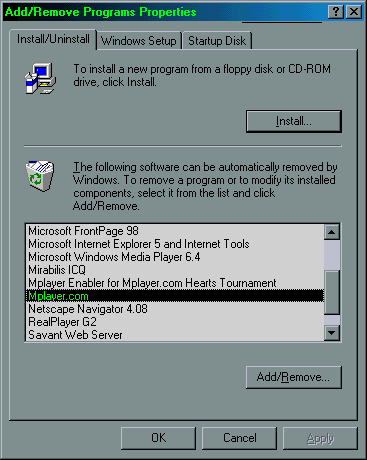
shit. First, you need a file called gizmo.exe (which is the old mplayer) 2) You need a file called ghost.mpi, you need to run this file when you get in a room. 3) Now, what you do is, download the OLD mplayer, http://www.kingy.com/gizmo.exe 4) Once you have downloaded it, UNINSTALL your CURRENT mplayer
5) Now, run gizmo.exe
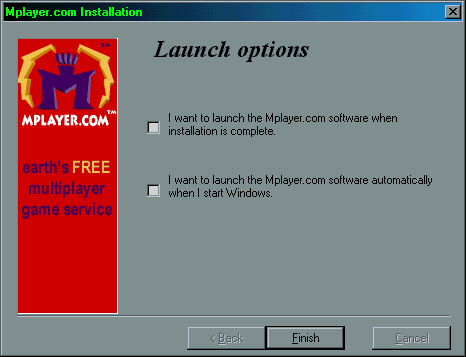
to INSTALL the old mplayer, BUTTTTTTTTTTTTTTTT you have to make some changes, during the
install, it'l ask would you like to lauch mplayer after installation is finished, UNCHECK
THAT BOX, YOU DO NOT WANT IT TO OPEN. or else things will fuck up 6) Let it install,
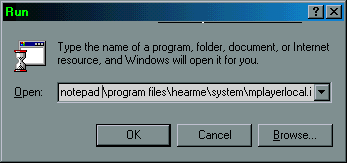
after it's done installing, click start, click run, type in notepad \program
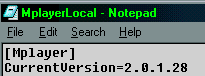
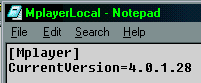
files\hearme\system\mplayerlocal.ini 7) Now, look at this file, this is the file we need to edit. Look at the second line.
8) Yours may say 2.0.3434 whatever i dont care, my point is, you have to CHANGE the 2 to a 4.
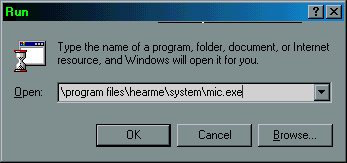
9) Now save the file, and click start click run, type in \program files\hearme\system\mic.exe
Now, once you ar ein mplayer, find a room, go in it, and run ghost.mpi by double clicking, and BOOM thats it, your ghosting. Questions? Contact me, my icq # 36980371 aol instant messenger - Skream9 Yahoo! Pager - electronic_shock
NODE OWNS
YOU
|